How to read your energy bills
Need help understanding your bill? See a page by page breakdown below.
What’s included on your bill
Page by page bill overview
Page 1: Key information right up front
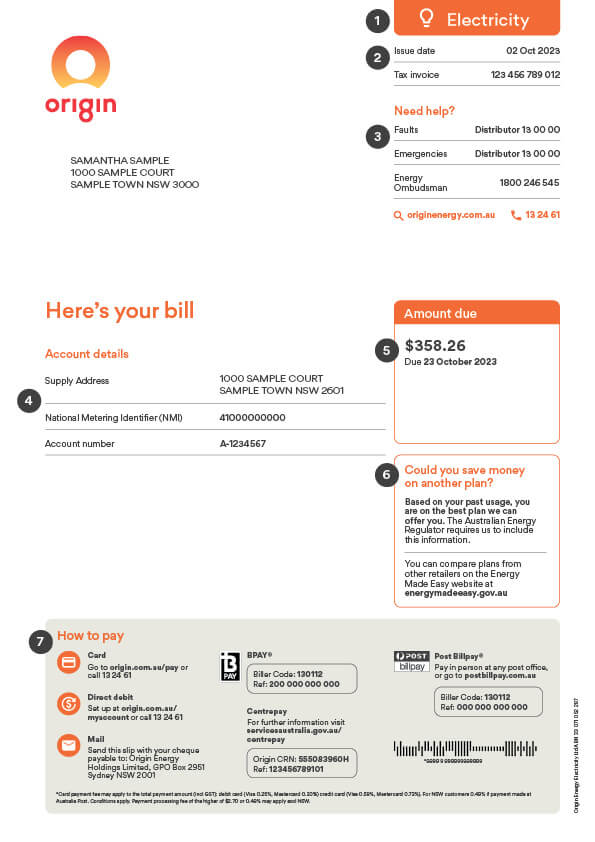
Billing and contact details
- Your fuel type, like Electricity or Natural Gas, so you can clearly see which bill you’ve received
- The date your bill was issued and its tax invoice number
- A list of numbers you can call for any faults or emergencies at your property, as well our contact details and the Energy Ombudsman’s info in your state if you need it
Account info
- The address we’re supplying energy to is shown here, plus your account number and your meter identifier – such as your National Metering Identifier for electricity, or your Meter Installation Reference Number for natural gas – you can find these numbers on your meter
Amount due and better offer details
- The amount you need to pay and when it’s due will be shown here including the amount due and due date for your payment plan or direct debit if you’ve set that up
- Every few months we’ll let you know here if you’re on the best Origin offer available to you or how much you could save on another plan, plus how to switch plans if you’d like to
Ways to pay
- Lists the most popular ways to pay your bill, and the barcode that used to be on page 2 of your bill is now here – you’ll need this if you pay at Australia Post
Page 2: Getting into the details
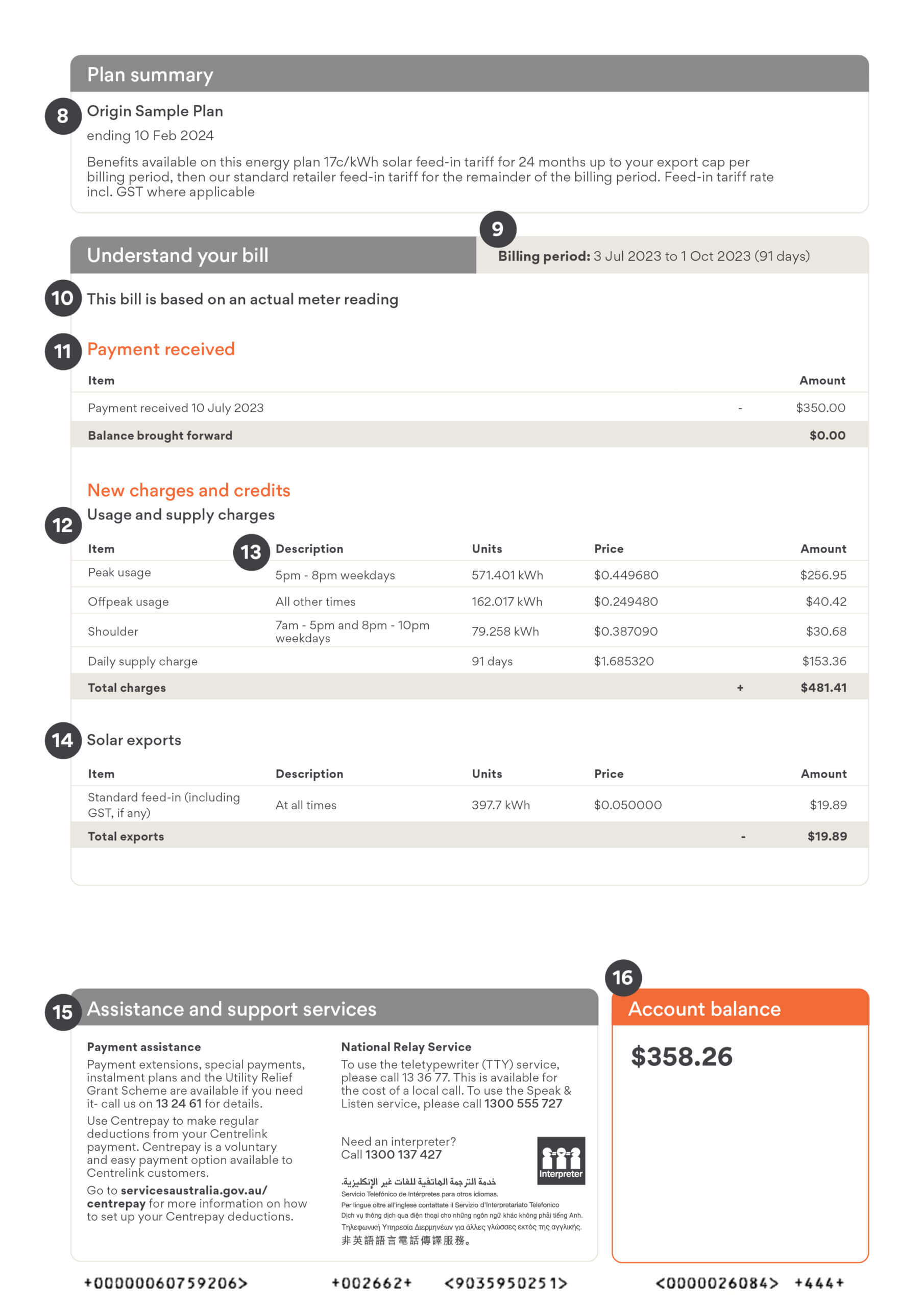
Energy plan info
- At the top of page 2, you’ll find the name of the current plan you’re on, when it ends, and any renewable sources, carbon offsets and benefits if applicable
Usage and charges
- The time frame this bill is for (billing period), including the number of days – this used to be shown on the front of the bill
- You’ll see if your bill is based on an ‘actual’ or ‘estimated’ meter reading – if it’s ‘estimated’ there’ll be information on how to submit your own meter reading if you’d like to
- Any payments we’ve received from you is shown here, like payment of your last bill
- Your usage and charges for this bill are broken down by your tariff type, for example your property may have a ‘time of use’ tariff or a ‘controlled load’ tariff, and a table lists the units and prices for the usage during the bill period, with a total at the end – plus supply charges are listed in this table too
- The description column has a summary of the tariff, such as the times and days related to peak, off peak or shoulder usage charges – your description will be different depending on your state and the tariff type at your property
Solar credits
- If you have solar panels, you can see the units and feed-in price of any solar you’ve generated and sent to the electricity grid during the bill period, with a total at the end – this is a credit which is deducted from your bill total
Getting help
- There’s some important information here if you need any assistance with keeping on top of your bills, how to access the National Relay Service, or if you’d like help in a language other than English using an interpreter service
Account balance
- Your account balance has moved here, from page 1 – it shows the total balance of your energy account
Page 3: More details including graphs
Credits, concessions and rebates
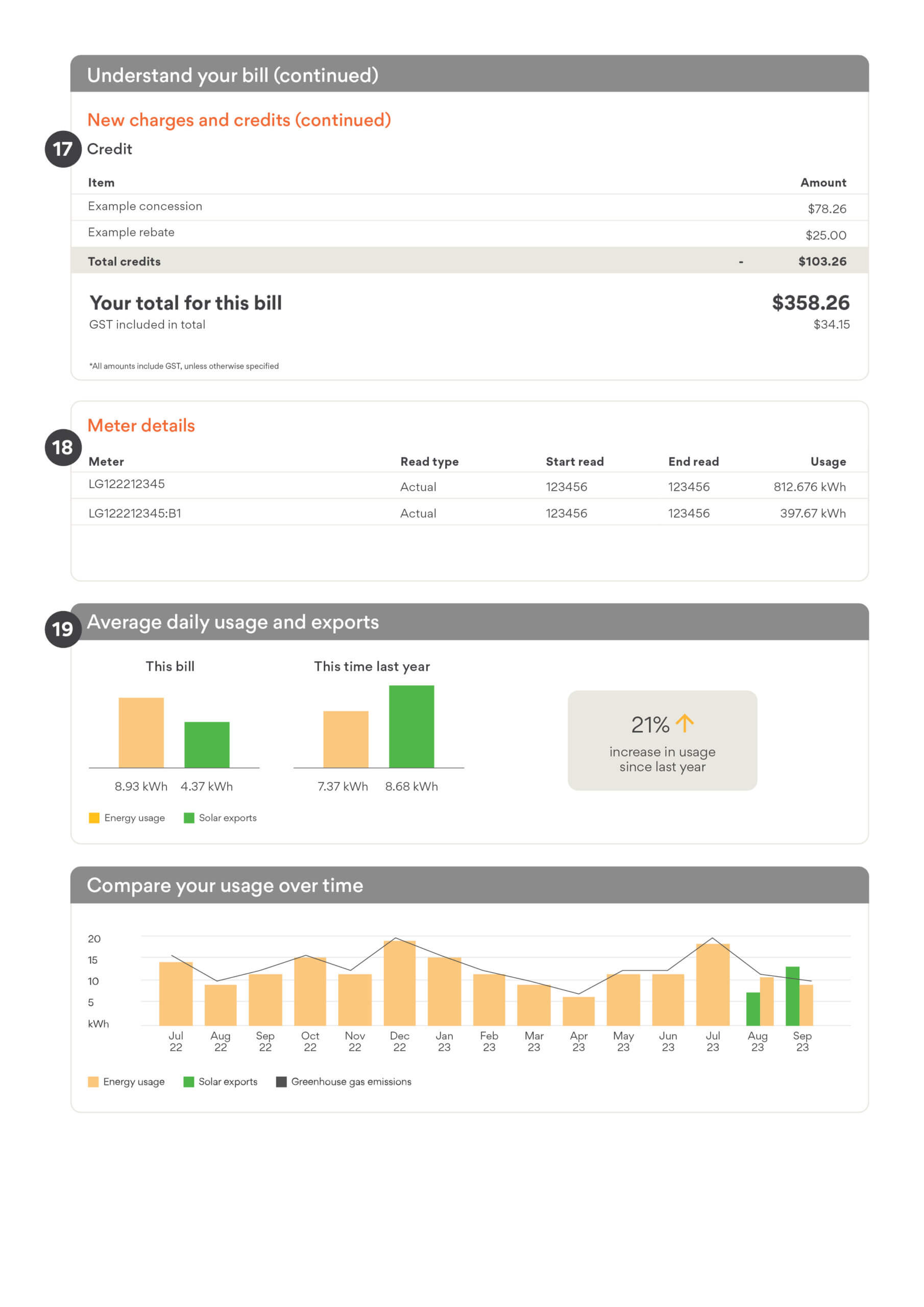
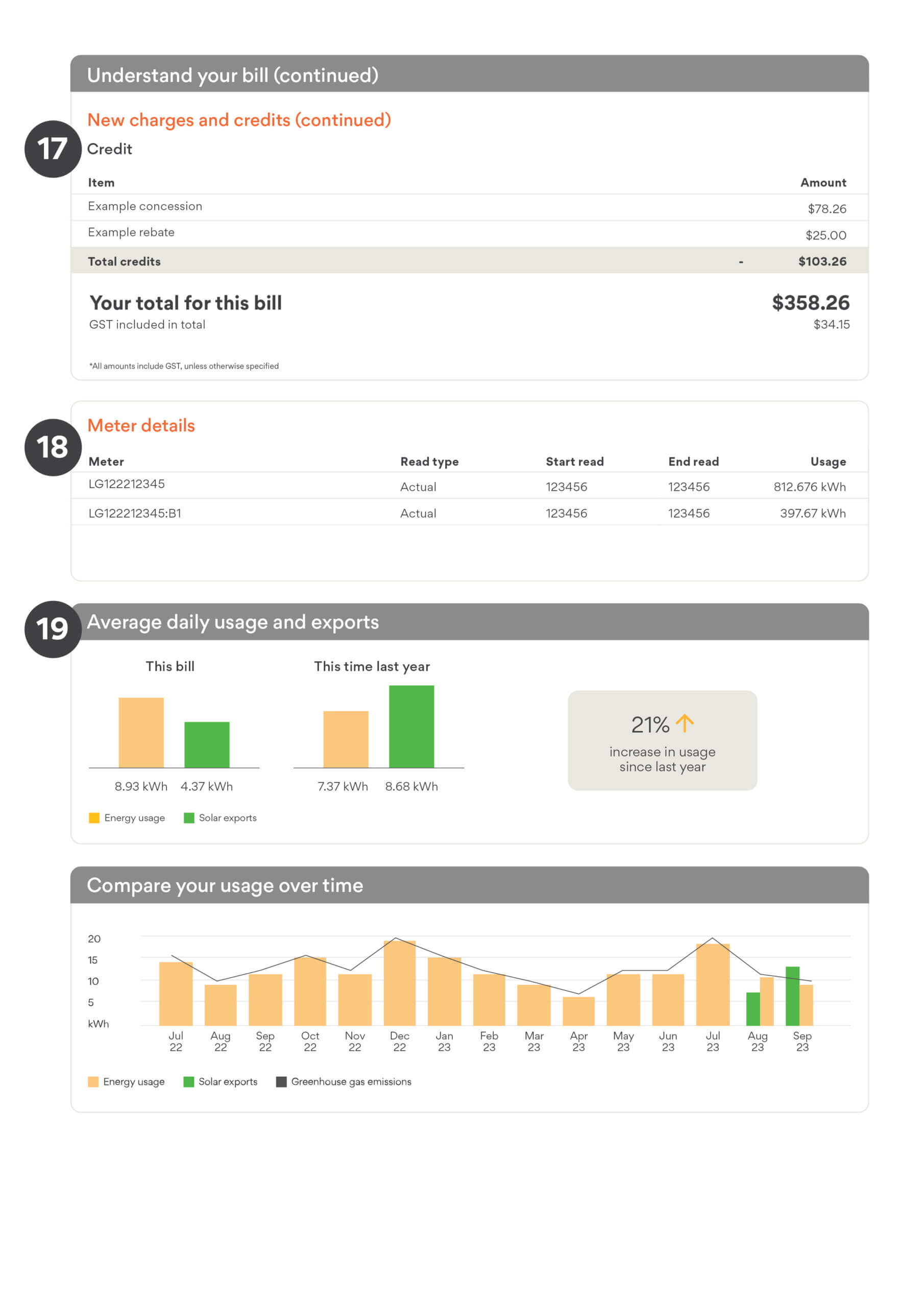
- Any credits that have been applied during the bill period are listed here, including concessions or rebates
Meter reading info
- Your meter reading details and the related usage is listed. The date of the meter readings are no longer shown is this section due to regulatory requirements.
Compare your usage
- The usage graphs are now bigger and easier to understand, so you can clearly see how your average daily usage (and solar exports, if you have solar panels) compares to the same time last year and by month, plus there’s a handy graphic showing if you’ve increased or decreased your usage – if you’re in Victoria or Western Australia, you’ll also see a dollar amount of your average cost per day for your energy here
Page 4: Last bits of info
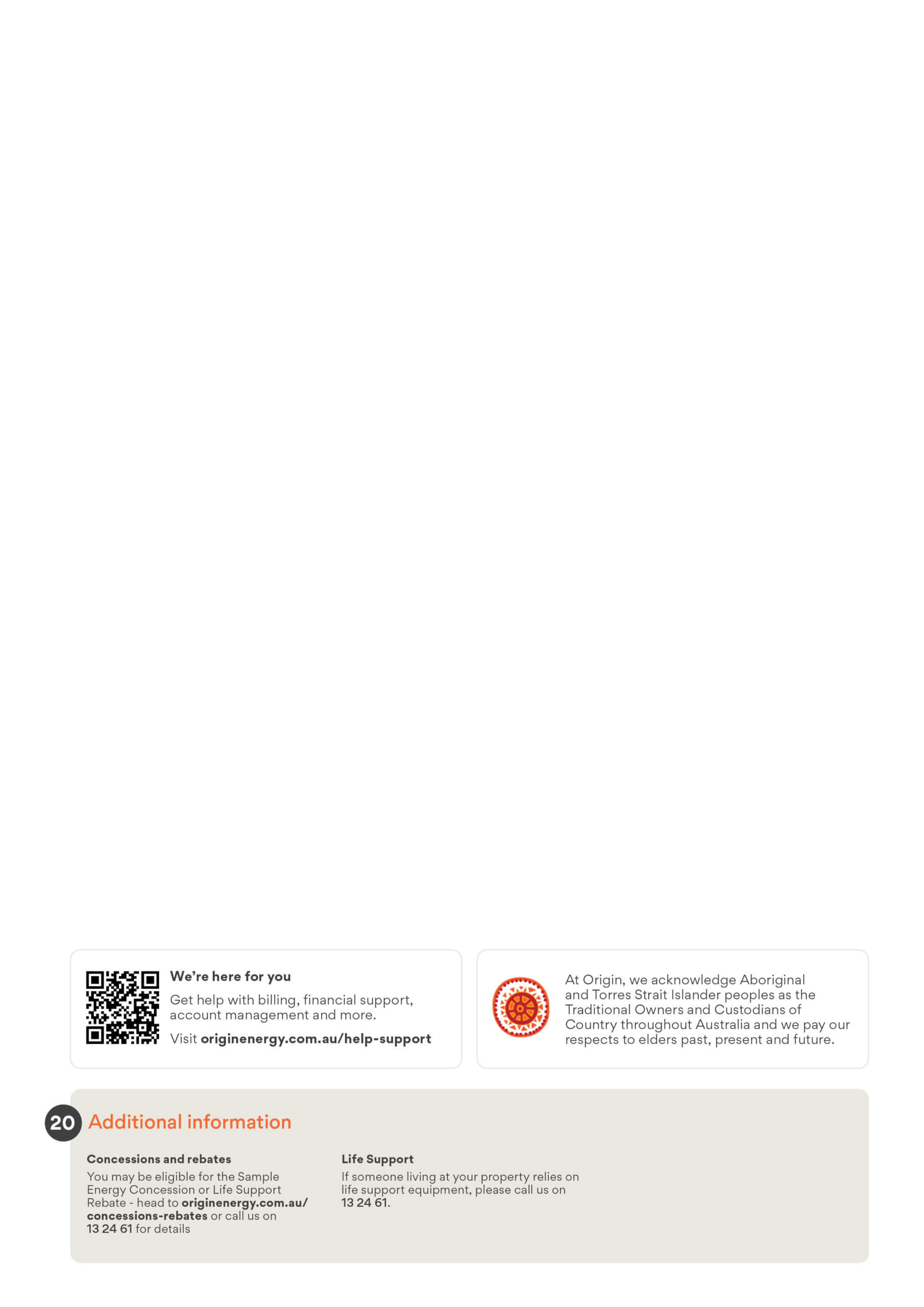
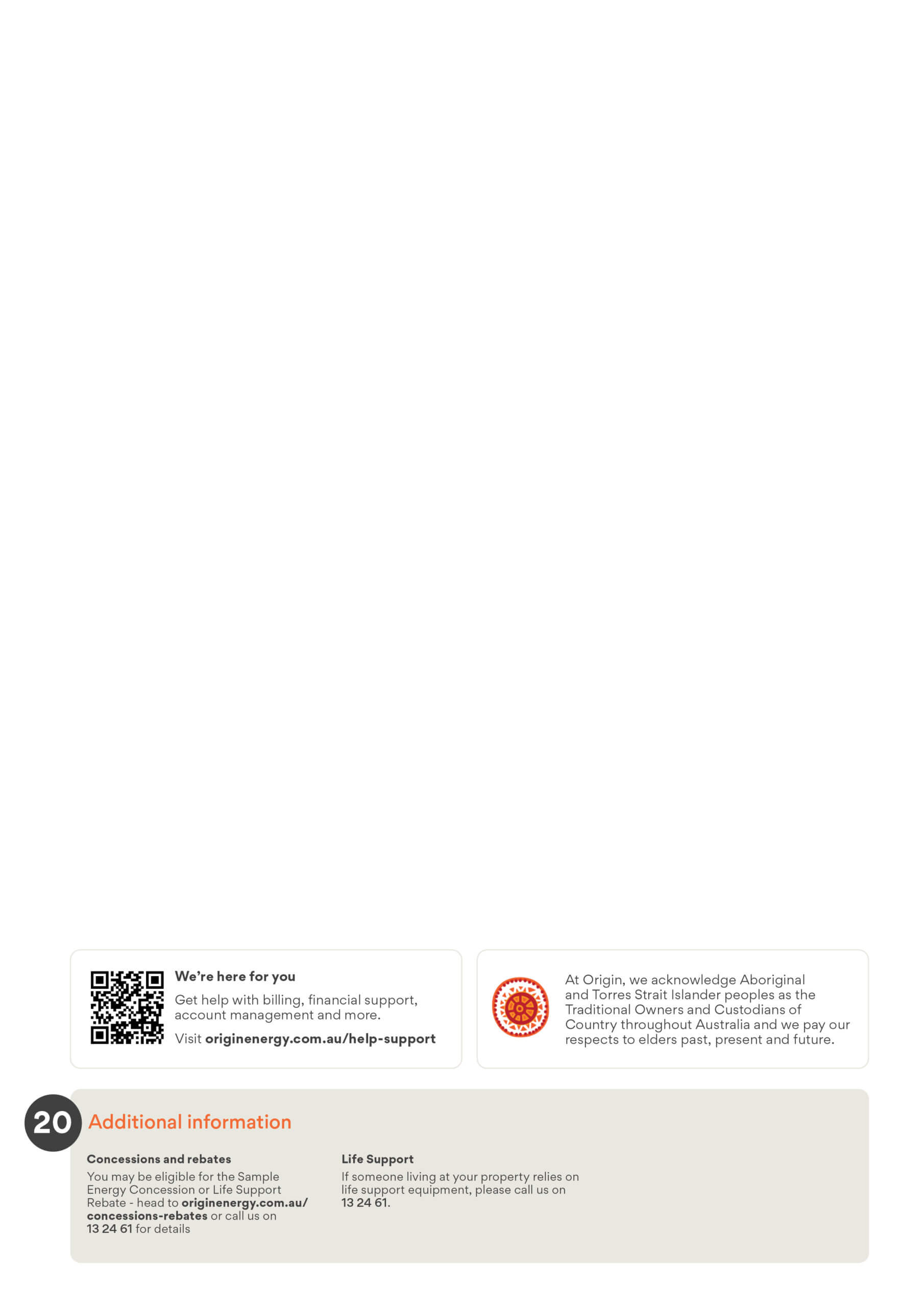
- You’ll see messages here from time to time about different things like how to access concessions, the introduction of new payment options, how to let us know if you have life support equipment and more