Origin Procurement
SAP Ariba Support
What’s SAP Ariba?
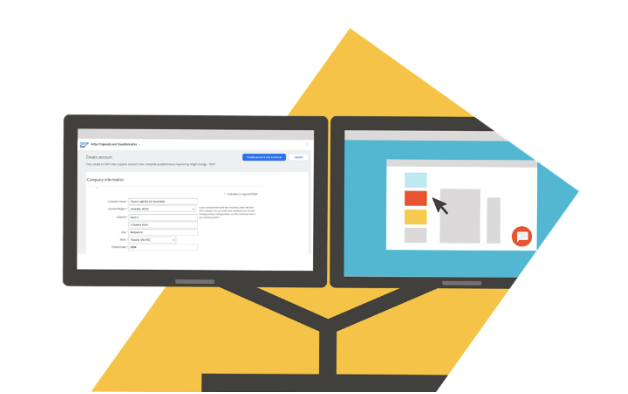
SAP Ariba is a cloud based digital global marketplace that connects more than 6 million companies around the world. It allows buyers and sellers to collaborate and transact electronically, delivering greater efficiencies.
Here at Origin we have partnered with SAP Ariba to manage all our supplier registrations to facilitate purchase orders and invoice payments to our suppliers, as well as manage the execution of contracts with our suppliers.
What can we help you with today?


Troubleshooting Registration


Frequently asked questions (FAQs) about SAP Ariba
Check the most commonly asked questions about SAP Ariba:
I didn’t receive the email to register
- Make sure the email is not in the spam folder of your email program:
Whitelist the domain of @ansmtp.ariba.com and @eusmtp.ariba.com to the safe senders list in your email client to prevent future emails from routing to the spam folder. If you’re not sure how to do this, contact your internal IT department.
- Your internal firewall might be blocking the delivery of the email:
Contact your information technology (IT) team to make sure the firewall allows the delivery of the email.
I’ve entered my username and password correctly but I’m still getting an error
You’ve entered your username and password correctly but receive the following message:
You must enter the Ariba Commerce Cloud, Ariba Discovery, or Ariba Network username and password associated with your company’s account.
What it’s saying is that your company has a separate account that’s registered to the requesting buyer’s site, and you’ll need to establish or enter credentials which match that account number. This is necessary because you’ve been added by the buyer, to the same “Supplier Workspace” or Organisation Name, that your registered colleagues were added to.
Only one account number can represent an Organisation Name within a buyers’ site. In theory, if all supplier users on SAP Ariba are created under one account number (Ariba Network ID) to start out, then all users would be aligned, in anticipation for a potential ID conflict.
So, what do I do now?
You need to go back to the “Welcome: Sign up / Log in” screen and select “Sign up to register your user account”. Now you’ll have to set a unique username for the new account, to create a distinction in the system between your original account and this new one.
I didn’t receive the email to reset my password?
- Make sure the email is not in the spam folder of your email program:
Whitelist the domain of @ansmtp.ariba.com and @eusmtp.ariba.com to the safe senders list in your email client to prevent future emails from routing to the spam folder. If you’re not sure how to do this, contact your internal IT department.
- Your internal firewall might be blocking the delivery of the email:
Contact your information technology (IT) team to make sure the firewall allows the delivery of the email.
How do I reallocate the registration form to another user?
You need to request a change to the contact person for the supplier registration.
If you require someone else in your organisation to complete the question, please send an email to the P2PMailbox@originenergy.com.au
They’ll create a new contact for your supplier and resend the supplier registration request.
How do I update bank details, address or any other details?
To do so you need to revise your response.
You can revise your response at any time. These changes will go back to Origin for review and approval. Make sure you attach evidence of the changes, especially for bank details.
Follow the instructions in Update Supplier Registration Questionnaire Responses on how to revise your response.
How do I access the former administration’s account?
- If the account administrator is still with your company
They can reassign the administrator account to another user or change their user information to a different person. Refer to <>
- If the account administrator is no longer with your company, but you have access to the registered email
Use the ?Password link on the Supplier Login page to request a password reset. After accessing the account, you can transfer the account administration role or reassign the administrator account to yourself. Refer to ‘How do I change the administrator user in my SAP Business Network supplier account?’ for step-by-step instructions.
- If the account administrator is no longer with your company and there is no access to the email address
Contact SAP Ariba Customer Support via the Support Center to change the administrator. You will be required to provide the ANID number of the account, the listed administrator name, and email address.
Note: Account reassignment requests go to a specific team within SAP Arriba Customer Support who will verify information with other users on the account if necessary. You’ll be then contacted with further instructions.